UniSwap™
Please sign in using your university email ID using the google button located at the top-right ↑
UniSwap™
Please sign in using your university email ID using the google button located at the top-right ↑
How do I "Add to Home Screen"?
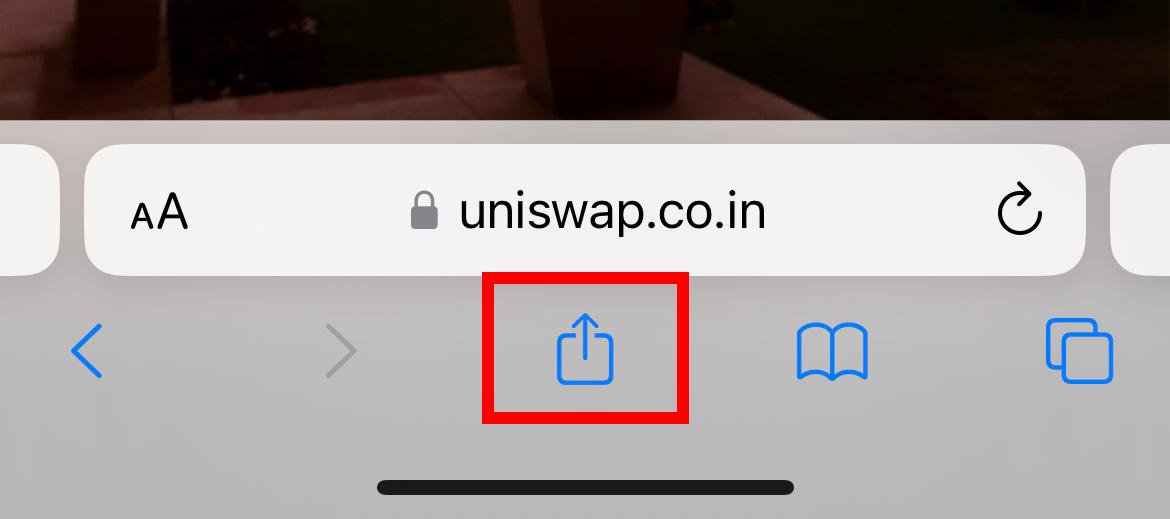
Tap the 'Share' icon at the bottom of the screen, or the top right if you're using an iPad (top right 3 dots if adnroid):
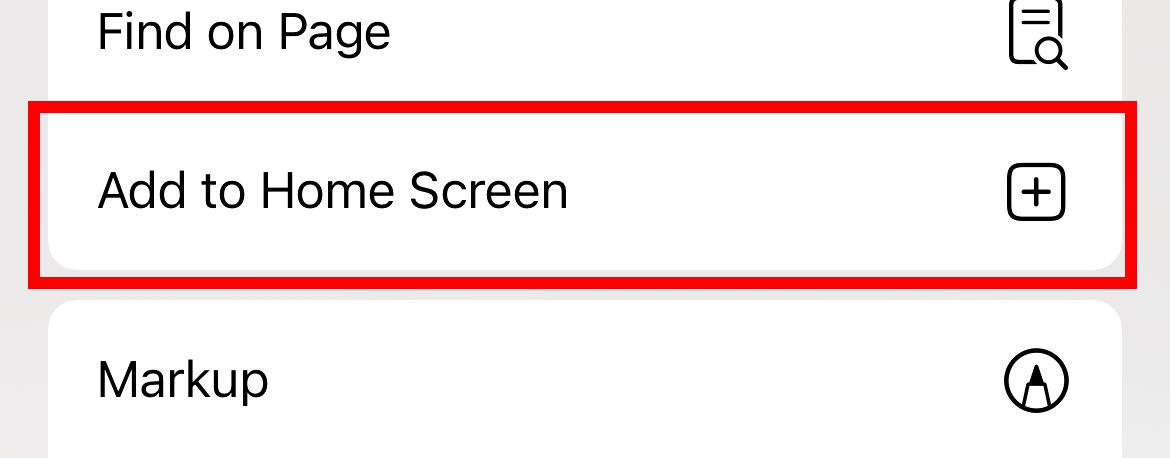
Scroll down and select 'Add to Home Screen' on ios or 'Install app' on android:
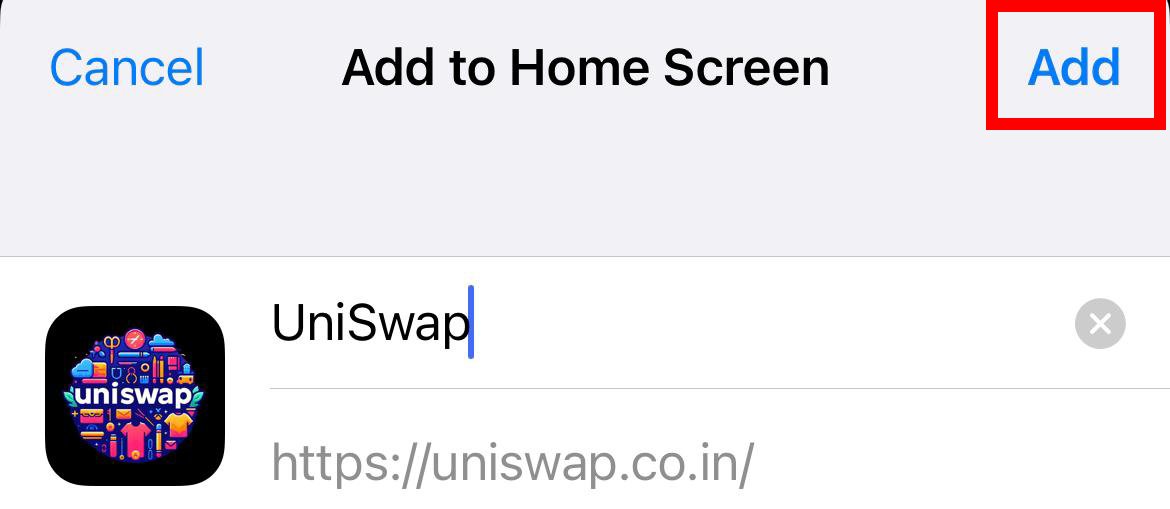
Tap 'Add' on the top right.
Done! You can now enjoy UniSwap from your home screen.